Why Your Google Business Profile Was Suspended: Top 10 Causes
Why Your Google Business Profile Was Suspended: Top 10 Causes
Understanding why Google suspends profiles is the first step in both recovery and prevention. Our GBP reinstatement team has analyzed thousands of cases since the major enforcement updates of late 2025, and the patterns are clear. Our team has identified the specific triggers that are catching legitimate business owners off guard right now.
Before fixing anything, you need to know if you are facing a “Soft Suspension” or a “Hard Suspension.” A soft suspension means your listing is unverified but still visible in your dashboard; you can usually fix this by re-verifying. A hard suspension is far more serious—your business is completely removed from Google Maps, and your reviews may be gone.
Here is the breakdown of why this happens and exactly how to fix it.
1. Business Name Violations
The #1 cause of suspensions. Google requires your business name on the profile to match your legal business name and physical signage exactly.
We see this violation most often when owners try to add “marketing taglines” to their name field. Violations include:
- Keyword Stuffing: Adding search terms (e.g., “Best Plumber Dallas”).
- Location Modifiers: Adding the city name when it’s not part of the legal entity (e.g., “Joe’s Pizza NYC”).
- Taglines: Including slogans (e.g., “ABC Services - We Care”).
- Credential Stacking: Adding degrees or certifications (e.g., “Dr. Smith MD PhD”).
- Service Descriptions: Adding hours or availability (e.g., “24/7 Emergency”).
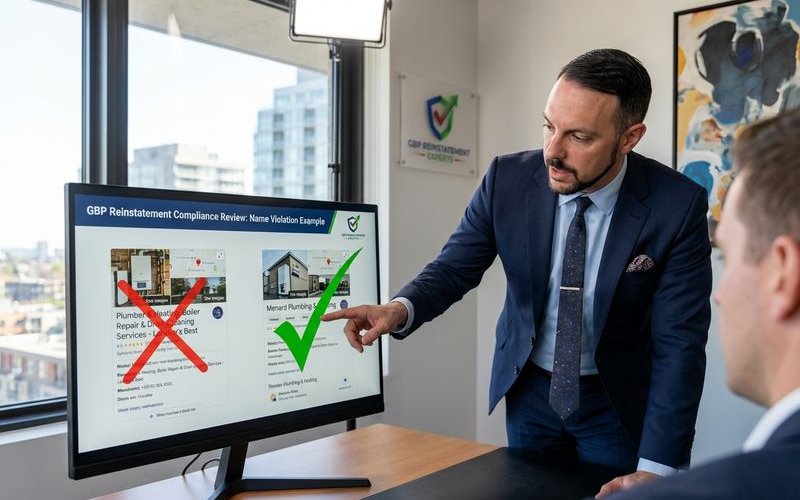
How to fix: Check your Secretary of State filing or business license. Edit your Google Business Profile name to match that legal document character-for-character, removing any extra words.
2. Address Problems
Many suspensions stem from address issues, especially with the rise of AI-driven address verification in 2026.
Our team frequently sees suspensions for businesses using “mailbox” services that technically look like street addresses. Common triggers include:
- Virtual Offices: These are strictly prohibited unless you have your own dedicated office and staff present during listed hours.
- Co-working Spaces: You must have a dedicated office with permanent signage to be eligible; a “hot desk” membership is not enough.
- Residential Addresses: Service-area businesses can use home addresses, but they must hide the address from the public view.
- P.O. Boxes: These are never permitted, including UPS Store locations.
- False Addresses: Listing a location where you do not physically operate.
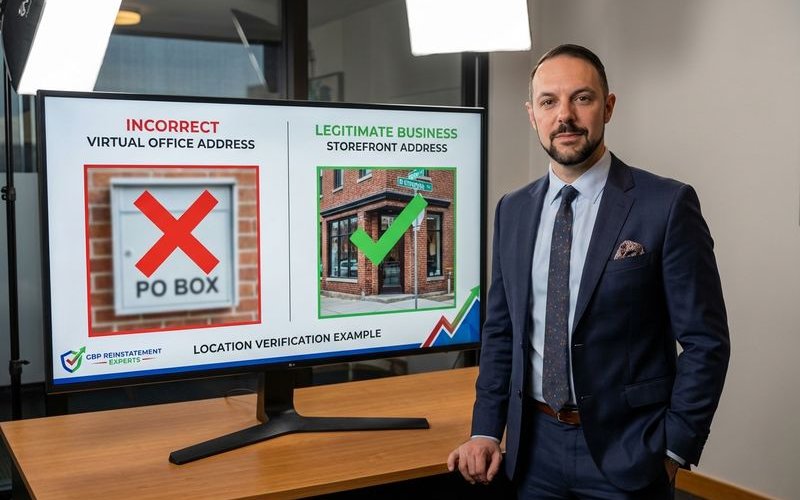
How to fix: Ensure your address is a legitimate place of business where customers can meet you face-to-face. If you are in a co-working space, upload a video showing your permanent signage on your specific office door.
3. Category Misuse
Claiming inappropriate or excessive categories is a growing trigger for “hard suspensions.”
“Category Stuffing” occurs when a business selects every possible related category rather than just their core services. Common mistakes include:
- Irrelevant Services: A plumber listing themselves as a “General Contractor” to cast a wider net.
- Conflict of Interest: Selecting categories that imply different business models (e.g., a restaurant also listing as a “delivery service” incorrectly).
- Manipulation: Changing categories frequently to chase seasonal trends.
How to fix: Audit your primary category to ensure it is your main source of revenue. Select only 2-3 secondary categories that are directly relevant to your specific offering.
4. Duplicate Listings
Having multiple listings for the same business confuses Google’s algorithm and often leads to the suspension of both profiles.
We often find that business owners accidentally create duplicates when they lose access to an old account.
- Same Location: Two profiles for the same business at the same address.
- Practitioner vs. Practice: In legal and medical fields, creating a profile for the doctor and the clinic is allowed, but they must be managed carefully to avoid looking like duplicates.
- Slight Variations: Creating a second listing for “Department B” or a specific service at the same address.
How to fix: Use the Google Maps “Suggest an edit” feature to report the duplicate if you don’t own it. If you have access to both, merge them by contacting Google support or removing the unverified one.
5. Verification Failures
The verification process has shifted almost entirely to Video Verification in 2026, and failing this step is a major suspension cause.
Problems during verification include:
- Failed Video Uploads: A common bug where the video helps but doesn’t process.
- Incomplete Evidence: The video fails to show the three required elements: Location, Equipment, and Management.
- Verification Fraud: Attempting to verify a location using a spoofed GPS signal.
- Code Entry Errors: Entering the postcard code incorrectly multiple times.
How to fix: When recording your verification video, you must include a continuous, unedited shot of you unlocking the business door with a key. This specific action proves you have management access and is often the deciding factor for approval.
6. Service Area Business Issues
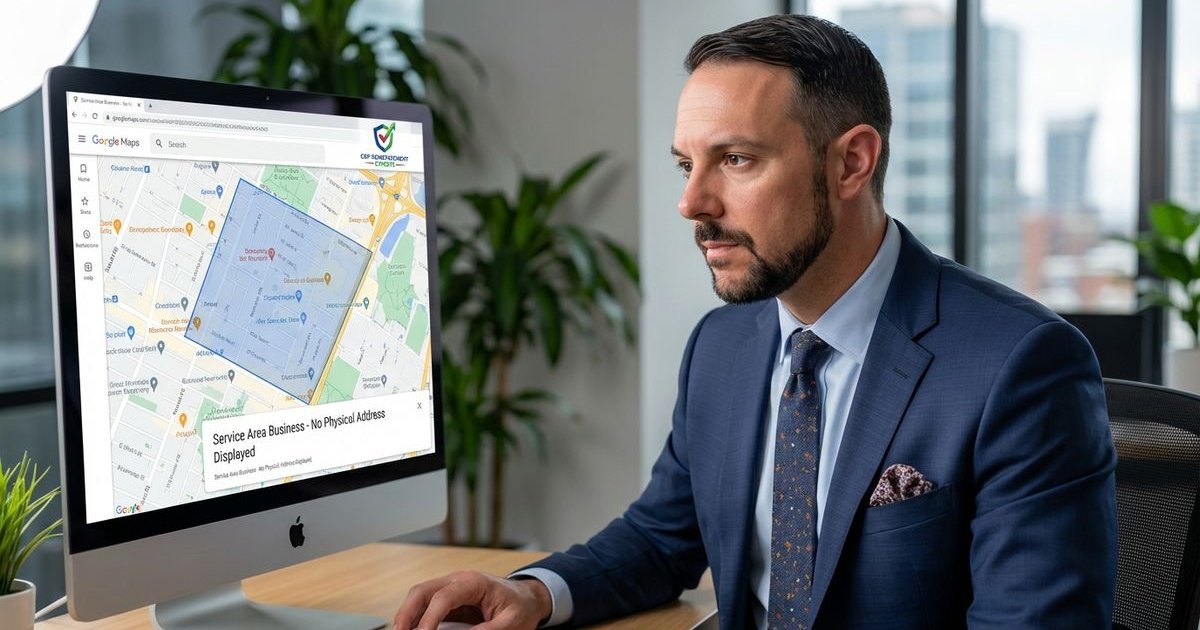
For businesses that travel to customers, such as plumbers or landscapers, the rules are strict.
Our data indicates that the “2-Hour Rule” is the most common tripwire here.
- Excessive Radius: Google guidelines state your service area should not extend beyond a 2-hour driving distance from your base.
- Too Many Areas: You are limited to 20 specific service areas (cities or zip codes).
- Visible Home Address: If you serve customers at their location, you must clear your address field in the dashboard.
How to fix: Review your service area list. Delete any cities or zip codes that are more than a two-hour drive from your home base or office.
7. Review Manipulation
Activities that trigger review-related suspensions are now subject to federal scrutiny.
The FTC’s “Rule on the Use of Consumer Reviews and Testimonials” allows for civil penalties of up to $51,744 per violation, and Google has tightened its filter accordingly.
- Review Gating: Asking only happy customers for reviews while filtering out unhappy ones.
- Incentivized Reviews: Offering discounts, cash, or free gifts in exchange for a review.
- Review Exchanges: Swapping reviews with other business owners.
- Competitor Attacks: Posting negative reviews on a competitor’s profile.
How to fix: Let reviews happen organically. Never offer compensation for feedback, and ensure you ask all customers for a review, not just the satisfied ones.
8. Ownership and Access Issues
Problems with who manages the profile can trigger a security suspension.
We frequently see this happen when a business fires a marketing agency that still has “Primary Owner” access.
- Conflicting Changes: Multiple managers making different edits simultaneously.
- Rogue Agencies: A former marketing company holding the profile hostage or making malicious edits.
- Hijacked Profiles: Unauthorized users gaining access through phishing.
- Disputed Ownership: Multiple claims on the same profile verified by different people.
How to fix: Audit your “Users” tab today. Ensure you are the “Primary Owner” and remove any email addresses that no longer need access.
9. Quality Issues
General quality flags are often a catch-all for “suspicious activity.”
Google’s algorithms monitor for patterns that look like spam.
- Inconsistent NAP: Your Name, Address, and Phone number on your website do not match your Google Profile.
- Stock Photos: Uploading generic stock images instead of real photos of your team and work.
- Spammy Posts: Posting content that looks like low-quality keyword stuffing.
- Rapid Edits: Making dozens of changes to your profile in a single hour.
How to fix: Maintain a “Documentation Folder” with your utility bill and business license. Ensure your website footer matches your Google Profile exactly, down to the suite number formatting.
10. Industry-Specific Violations
Certain industries face extra scrutiny due to high rates of spam and fraud.
- Locksmiths & Garage Door Repair: These categories are under constant manual review; advanced verification is almost always required.
- Healthcare: Profiles must adhere to strict naming conventions and cannot use marketing language.
- Financial Services: Listings are often cross-referenced with regulatory databases.
- Legal Services: Bar association rules regarding advertising often overlap with Google’s policies.
How to fix: If you are in a high-risk category, do not make edits to your profile without having your business license and insurance documents ready to upload immediately.
How to Determine Your Suspension Cause
Google rarely states the exact reason for a suspension in their email notifications. To identify the cause, you need to investigate.
- Check the Status: Log into your dashboard. A “Disabled” status usually means a complete removal (Hard Suspension), while “Suspended” often means it requires re-verification (Soft Suspension).
- Review the “Info” Tab: Look for orange strike-throughs on your data; these are edits Google has rejected.
- Audit Recent Changes: specific edits made 24-48 hours before the suspension are the likely culprits.
- Check Your Industry: High-risk categories like locksmiths should expect periodic re-verification triggers.
- Use the Tool: Google’s “Account Troubleshooter” tool can sometimes provide a generic reason for the action.
Prevention Strategies
To avoid future suspensions, you must treat your profile as a compliance document, not just a marketing channel.
- Know the Guidelines: Read Google’s official “Guidelines for representing your business on Google” annually.
- Make Careful Changes: Avoid editing your name, address, or phone number unless absolutely necessary, as this triggers re-verification.
- Monitor Your Profile: Check your profile weekly for unauthorized “suggested edits” from users or competitors.
- Keep Documentation: Always have a utility bill dated within the last 90 days available.
- Stay Conservative: If a tactic feels like a “hack” to get better rankings, it will likely lead to a suspension.
Understanding these triggers is your best defense. A clean, compliant profile is far more valuable than a risky one that disappears overnight. If you’re unsure what triggered your suspension, our free audit can help identify the specific cause.
GBP Reinstatement Experts
Our team of GBP reinstatement experts has helped over 12,500 businesses recover their suspended Google Business Profiles.
Learn more about our team →