How to Safely Edit Your Google Business Profile Without Getting Suspended

How to Safely Edit Your Google Business Profile Without Getting Suspended
Even legitimate changes to your Google Business Profile (GBP) can trigger suspensions if done incorrectly. Our compliance support team sees it happen to perfectly legitimate businesses every week. Google’s algorithms watch for suspicious activity patterns and often flag innocent updates as security threats.
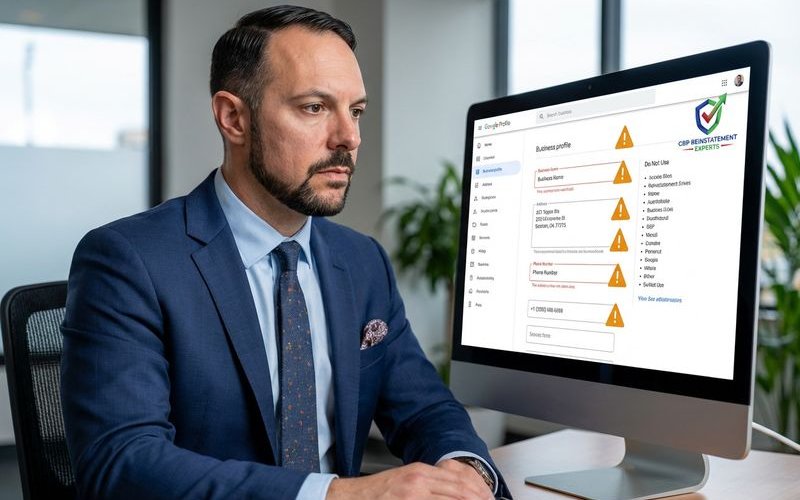
Risky Edits
Some changes trigger scrutiny more often than others. We have found that altering “core data” fields causes the majority of instant suspensions.
- Business Name Changes: Very high risk.
- Address Changes: High risk.
- Primary Category Changes: High risk.
- Phone Number Updates: Moderate risk.
- Service Area Adjustments: Moderate risk.
- Website URL Changes: Moderate risk.
Why Google Flags These Edits
Google wants to prevent “lead gen” spam and fake listings. Our data indicates that the algorithm looks for inconsistencies between your profile and third-party sources. If you change your name on Google but your Secretary of State filing still shows the old one, you create a “trust gap.”
Safe Editing Principles
1. One Change at a Time
We never make multiple significant changes simultaneously. The algorithm views rapid-fire updates as a sign of account hijacking. If you need to update your address and business name, follow this protocol:
- Update the address first.
- Wait at least 3 to 5 days.
- Confirm the change is live and indexed on Maps.
- Make the business name change.
2. Time Your Edits
We advise clients to avoid making updates during major holidays or weekends. Support teams are often slower during these times if something goes wrong.
- Stick to “safe” hours: Edit during standard US business hours (9 AM to 5 PM).
- Use a consistent device: Do not edit from a new computer or a mobile device in a different country.
- Check your IP: Ensure you are on your standard business Wi-Fi network.
3. Have Documentation Ready
We always prepare a “defense folder” before touching a sensitive field. You should have the following digital files ready on your desktop:
- Utility Bill: Dated within the last 90 days, matching the exact new address.
- Business License: Your state-level registration (e.g., Secretary of State LLC filing).
- Tax Document: An IRS CP-575 or similar letter.
- Photos: Clear images of your permanent signage and business interior.

Change-Specific Guidance
Business Name Changes
This is the single riskiest edit you can make. We only recommend this if your legal entity has officially rebranded.
The “DBA” Rule: Ensure your specific “Doing Business As” name is registered legally before you type it into Google. If you add keywords like “Best Plumber in Chicago” to your name, you violate Google’s guidelines and risk a hard suspension.
Process:
- Update your website footer and “Contact Us” page first.
- Wait for Google to crawl and index your site (usually 48 hours).
- Update major data aggregators like Data Axle.
- Update your GBP name.
Address Changes and Video Verification
We find that address changes in 2026 almost always trigger a video verification request. This process has replaced the old postcard method for many service businesses.
The Video Requirement: You will likely need to record a continuous, unedited video between 30 seconds and 2 minutes long. We coach our clients to include three specific elements in one take:
- Location: Show the street sign and building number.
- Access: Show yourself unlocking the door with a key.
- Operations: Show your point-of-sale system, tools, or inventory.
Insider Tip: Enable location services (GPS) on your phone before you start recording. Google checks the metadata to confirm you are physically at the location.
Category Updates
Changing your primary category can reset your rankings. We suggest adding new services as “Secondary Categories” first.
- Limit your selection: Do not stuff every possible category.
- Be specific: Choose “Criminal Justice Attorney” rather than just “Lawyer.”
- Verify intent: Ensure your website has a dedicated page for this new service.
Service Area Changes
We see many suspensions because businesses set their service areas too wide.
The 2-Hour Rule: Google guidelines state your service area should not extend beyond a 2-hour driving distance from your base. We recommend deleting old service areas before adding new ones to avoid overlapping data conflicts.
Important Constraint: You can no longer set a radius distance (e.g., “50 miles”). You must list specific cities or zip codes. The limit is 20 service areas per profile.
What to Do If You Trigger Verification
If your edit triggers a suspension or reverification, do not create a new profile. We have seen this duplicate the problem and make recovery twice as hard.
The “60-Minute” Evidence Window: When you submit a reinstatement appeal through the tool, you often have a limited window to attach evidence. We have observed that the system sometimes allows you to upload documents immediately after submission. Have your utility bill and business license ready to upload the second you click submit.
Steps to Take:
- Log into the “Google Business Profile Appeals Tool.”
- Confirm which profile is suspended.
- Upload your pre-prepared “defense folder” documents.
- Wait for the email confirmation.
Bulk Edit Warnings
Managing multiple locations requires extreme caution. We never update more than three locations in a single day.
- Avoid automated tools: API tools can glitch and send bad data to hundreds of profiles at once.
- Stagger your updates: Change one region on Monday and another on Wednesday.
- Manual is safer: For sensitive fields like “Name,” update each profile manually.
Edit Log Practice
We maintain a spreadsheet for every client profile we manage. You should track every change to identify which specific edit caused a potential issue.
What to Track:
- Date of Edit: The exact day and time.
- Field Changed: Old value vs. New value.
- User Account: Which email address made the change.
- Outcome: “Pending,” “Published,” or “Suspended.”
This log proves invaluable if you ever need to explain your actions to a Google support representative. If you’re planning significant profile changes and want to minimize risk, start with a free audit of your current profile status.
GBP Reinstatement Experts
Our team of GBP reinstatement experts has helped over 12,500 businesses recover their suspended Google Business Profiles.
Learn more about our team →