GBP Suspended for Deceptive Content: What It Means and How to Fix It
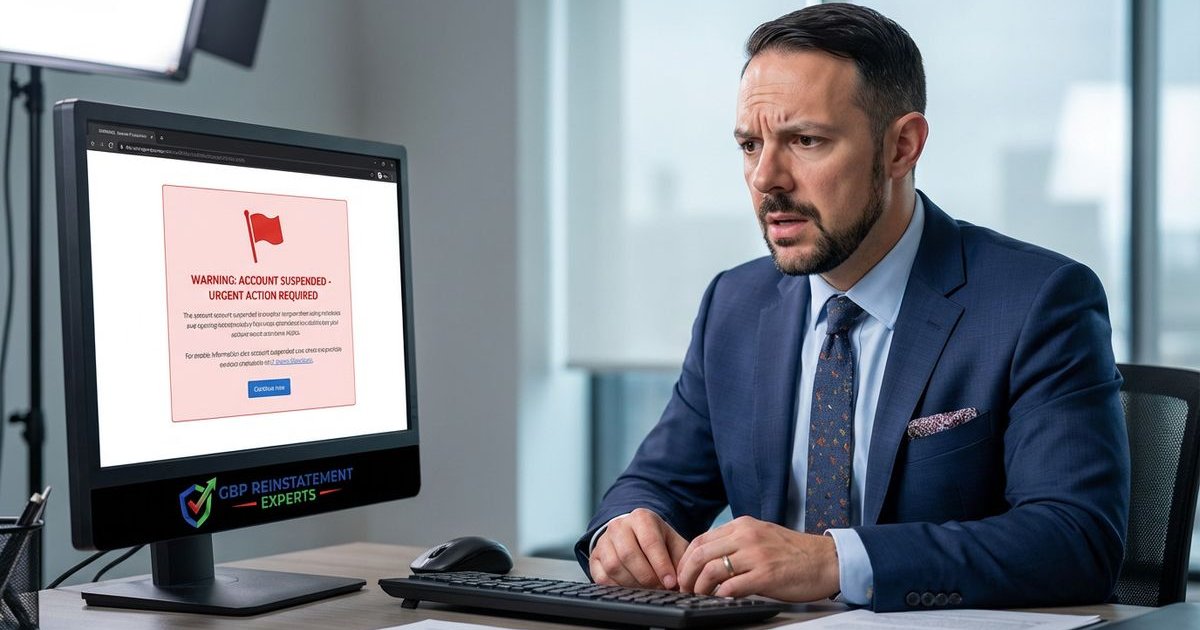
A “deceptive content” suspension is one of the more serious violations you can face. We have seen firsthand how this specific flag shuts down lead flow overnight for legitimate U.S. businesses, requiring swift GBP reinstatement action. Google uses this flag when they believe your profile contains misleading or false information that could deceive potential customers.
The trigger is often an automated sweep by Google’s algorithms rather than a manual review. This means even minor data inconsistencies can look like fraud to a bot. We are going to explain exactly why this happens and the specific evidence you need to gather to get your profile back online.
What Google Considers Deceptive Content
Google’s definition of deceptive content centers on transparency and accuracy. Their “Deceptive Content and Behavior” policy is strictly enforced to protect users from scams, which is why the system shoots first and asks questions later.
We frequently see suspensions triggered by these specific violations:
- Misleading business name: Names that include keywords, slogans, or false descriptors to rank higher.
- Inaccurate business category: Claiming services you don’t actually offer or don’t have the license to perform.
- False claims: Stating credentials, certifications, or affiliations that don’t exist.
- Manipulated reviews: Fake reviews or incentivized review programs, which now violate Federal Trade Commission (FTC) regulations as of late 2024.
- Misleading photos: Stock photos presented as real business images.
- Inaccurate business hours: Listing 24/7 hours when you do not actually have staff answering phones or doors at 3 AM.
- False address claims: Claiming a location where you don’t operate, such as a P.O. Box or a virtual office.
Common Examples of Deceptive Content
Business Name Issues
The most common trigger we encounter is “keyword stuffing” in the business name field. Business owners often try to add their city or service to their name, thinking it helps SEO. It actually signals spam to Google.
We use the following comparison table to help clients audit their own names:
| Status | Example | Why It Happens |
|---|---|---|
| Problematic | ”ABC Plumbing - 24/7 Emergency Service Cheapest in Town” | Keywords and marketing slogans are added. |
| Problematic | ”Best Pizza NYC - Free Delivery” | Includes location modifiers not in legal filing. |
| Problematic | ”Dr. John Smith Licensed Chiropractor” | Adds titles or credentials unnecessary for identification. |
| Correct | ”ABC Plumbing” | Matches the legal LLC or DBA filing exactly. |
| Correct | ”Joe’s Pizza” | Uses the actual storefront signage name. |
| Correct | ”John Smith Chiropractic” | Represents the practice entity, not just the person. |
Category Problems
Claiming categories like “Emergency Service” when you don’t offer true emergency response, or listing services you provide rarely or not at all. We advise clients to stick to their primary revenue-generating activities for their main category.
Listing too many peripheral categories can confuse the algorithm. A general contractor who lists “Fence Contractor” is fine, but adding “Landscape Architect” without a license in that specific field can trigger a review.
Review Manipulation
Google’s systems are increasingly aggressive about review patterns. They look for signals that reviews are not genuine experiences.
We monitor for these specific red flags during an audit:
- Reviews from people who never visited the physical location (tracked via location history).
- Patterns suggesting coordinated review campaigns, such as a sudden influx of 5-star ratings in 48 hours.
- Incentivized reviews, such as offering a discount or free product in exchange for a rating.
- Reviews from competitors’ IP addresses or devices.
How to Identify What’s Wrong
When Google doesn’t specify the exact issue, you must act as your own detective. The notification usually just says “Deceptive Content” without pointing to the specific field.
We recommend checking these elements in this specific order:
- Your business name: Compare it character-for-character against your Secretary of State filing or business license.
- All categories: Remove any category that isn’t core to your daily operations.
- Business description: Scan for exaggerated claims or guarantees that sound too good to be true.
- Photos: Delete any image that is a stock photo, especially if it is used as your cover photo or logo.
- Review patterns: Look for a cluster of reviews that might have flagged the spam filter.
- All attributes: Ensure accessibility and amenity attributes are factually correct.
Steps to Fix Deceptive Content
Step 1: Audit Your Profile
Go through every element of your profile and compare it against your actual business documentation. We usually print out the Secretary of State filing and the most recent utility bill to ensure the address and name match exactly.
Google’s guidelines for each element are rigid. If your utility bill says “Ste 100” and your profile says “Suite 100,” fix it to match the official document perfectly.
Step 2: Remove or Correct Issues
For each problematic element, take immediate action. Do not wait for an appeal to admit a mistake.
We execute these corrections for our clients:
- Remove keywords from your business name until it matches your legal documents.
- Delete inappropriate categories that you cannot prove with photos or a website landing page.
- Remove misleading photos and upload fresh, geotagged photos of your team and equipment.
- Update inaccurate information regarding hours or phone numbers.
Step 3: Document Your Changes
Keep records of what was changed and why it was changed. This narrative is crucial for the “Plan of Action” section of your appeal.
We always prepare a folder with supporting documentation proving accuracy:
- Business License: A current state or county business registration.
- Utility Bill: A gas, electric, or water bill dated within the last 90 days.
- Photos of Signage: Permanent, fixed signage at the location (no banners).
- Office Photos: Interior photos showing a working environment.
Step 4: Submit Your Appeal
Your appeal is your one chance to explain the situation to a human moderator. Use the official Google Business Profile Appeals Tool for this process.
We structure our appeals to include these four distinct points:
- Acknowledge the issue: State clearly that you understand why the profile was flagged.
- Explain corrections: List exactly what you removed or fixed (e.g., “We removed the slogan from our business name”).
- Provide evidence: Attach the files you gathered in Step 3.
- Commitment: Briefly state that you have reviewed the guidelines and will remain compliant.
Preventing Future Deceptive Content Flags
After reinstatement, the goal is to stay under the radar. Repeated suspensions are much harder to overturn.
We follow these strict rules to keep profiles healthy:
- Use only your legal business name: No additions whatsoever, even if competitors are doing it.
- Claim only accurate categories: Stick to services you actively provide and can prove.
- Never incentivize reviews: Let them happen naturally to avoid FTC violations and Google filters.
- Use only real photos: Take pictures at your actual business location using a smartphone.
- Keep information current: Update special hours for holidays before customers arrive.
- Review Google’s guidelines: They update periodically, and staying informed is your best defense.
When to Seek Help
Deceptive content suspensions can be tricky because Google is deliberately vague. Their support team will rarely tell you exactly which word or photo caused the ban.
We find that professional analysis is often necessary if:
- Google doesn’t specify what they flagged.
- The issue might not be obvious to you because it looks like standard marketing.
- Repeated failed appeals are starting to hurt your case.
If you’ve tried fixing obvious issues without success, professional analysis can identify what you’re missing. A fresh set of eyes can often spot the disconnect between your profile data and your real-world documentation. Start with our free audit to get clarity on your specific case.
GBP Reinstatement Experts
Our team of GBP reinstatement experts has helped over 12,500 businesses recover their suspended Google Business Profiles.
Learn more about our team →